
Setting a default connection - Mac OS 8.x
Our 0845 and 0808 dial-up products were withdrawn from service in January 2015. To find out more about this, or if you have any questions please see our Dial closure FAQ.
1. Click on the Apple icon, then Control Panels and Remote Access or PPP.
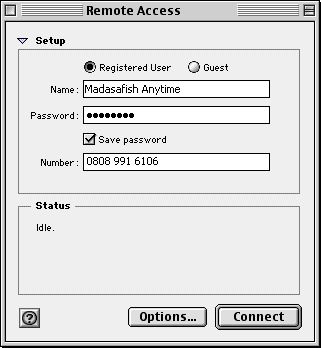
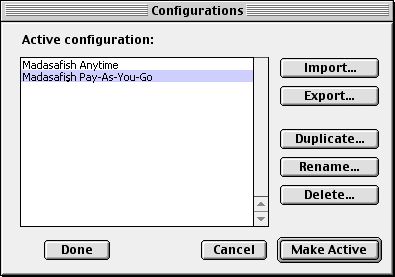
2. Click on the File menu, then Configurations.
You will see a list of configurations, simply highlight the one you want to make default and click the Make Active button.
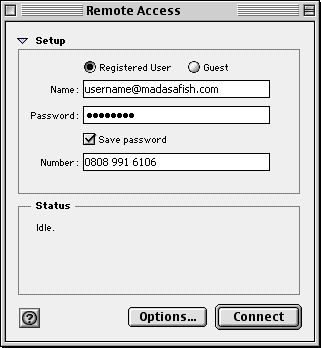
3. Verify the settings are correct and click the close box. You will be prompted to save the changes.
Click Save.
Has this page helped you solve your problem? Your feedback helps us to improve the help we provide.
Rate this page : 


Please note: We cannot reply to individual feedback through Rate My Page. If you need more help with a problem please use Contact Us.
People who read this article also found these useful:
Unable to get to your modem / router homepage


 : General Information
 : Planned Maintenance


