
Viewing attachments - Outlook Express 6
The latest version of Outlook Express - (Version 6 Service Pack 1) - has an option ticked by default that may prevent you from viewing or saving certain attachments. You will notice that an attachment in an email is still on the email but it is 'greyed out' not allowing you to click on the attachment and open it.
Follow this guide to restore access to these attachments.
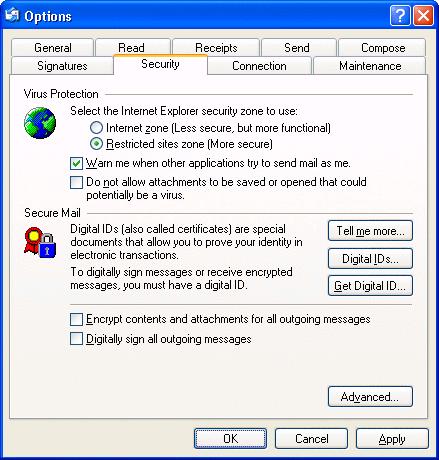
Start Outlook Express then along the top go to Tools and then Options. A new window opens, click on the Security tab.
You will find that the box Do not allow attachments to be saved or opened that could potentially be a virus is ticked.
Remove the tick from this box and then click OK. You should now be able to view or save all attachments again.