
Creating user accounts in Windows Vista
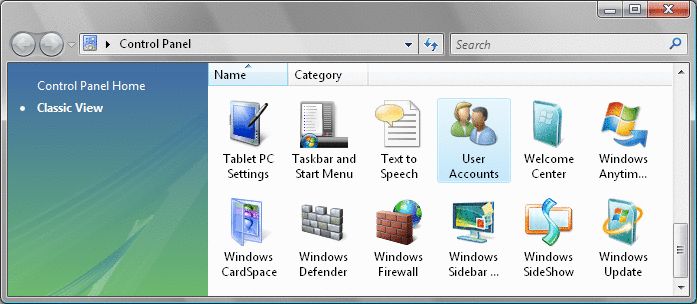
Click on the Start menu, select the Control Panel and then User Accounts.
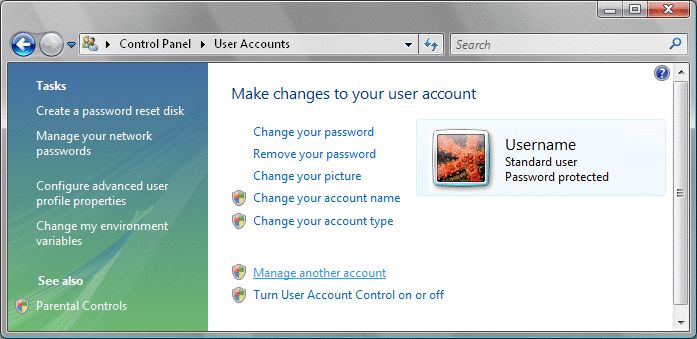
Click on Manage another account.
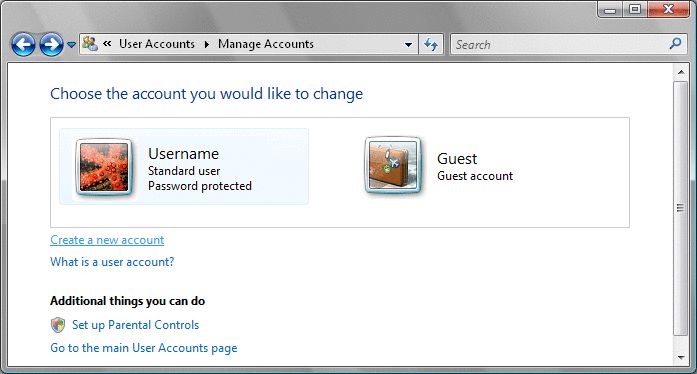
Click on Create a new account.
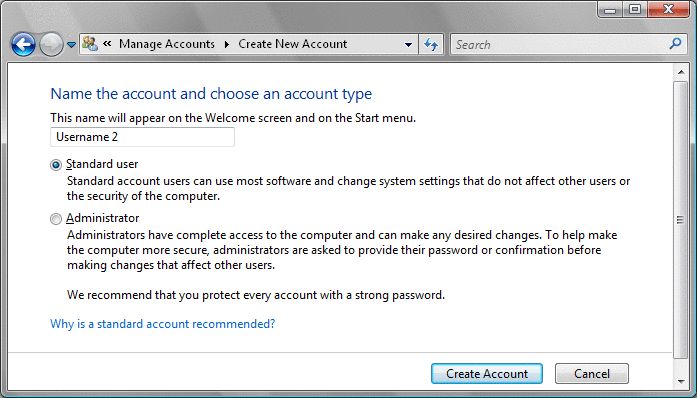
Enter the name for the user and choose either between Standard or Administrator for user privileges.
Click on Create Account.
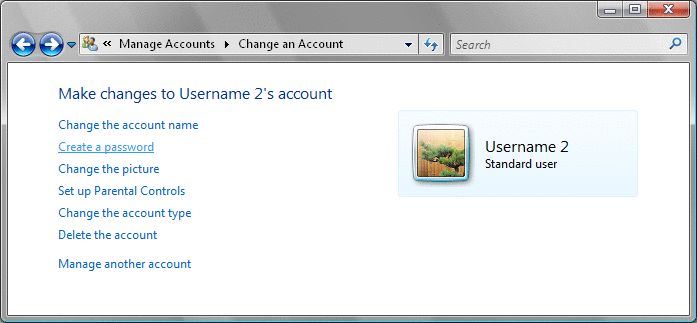
Once the account is created select it and click on Create a password.
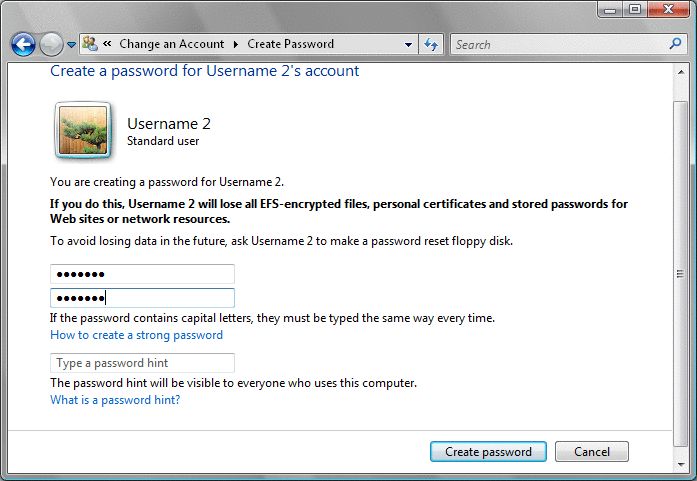
Enter and confirm the Password. To remember the password more easily you can type out a password hint.
Click on Create Password.
A new user account has now been created and ready for use.
Has this page helped you solve your problem? Your feedback helps us to improve the help we provide.
Rate this page : 


Please note: We cannot reply to individual feedback through Rate My Page. If you need more help with a problem please use Contact Us.
People who read this article also found these useful:
Creating your account - Windows Mail


 : General Information
 : Planned Maintenance


